---
title: Download and install Office apps for Android
description: Stay productive with Office apps on your Android device. If you have an Online Business Essentials, Business Essentials, or Business Professional plan, you'll need to download each Office app separately from the Google Play Store.
---
[Skip to content](https://customers.lookitdesign.com/knowledge-base/download-and-install-office-apps-for-android#main-content)
English - United States
Show submenu for translations

Open main navigation
Close main navigation
- English - United States
Show submenu for translations
- Contact us
Contact us
How can we help you?
- There are no suggestions because the search field is empty.
1. [Lookit Knowledge Base](https://customers.lookitdesign.com/knowledge-base?hsLang=en-us)
2. [Getting started](https://customers.lookitdesign.com/knowledge-base/getting-started?hsLang=en-us)
3. [Email](https://customers.lookitdesign.com/knowledge-base/getting-started?hsLang=en-us#email)
# Download and install Office apps for Android
## Stay productive with Office apps on your Android device. If you have an Online Business Essentials, Business Essentials, or Business Professional plan, you'll need to download each Office app separately from the Google Play Store.
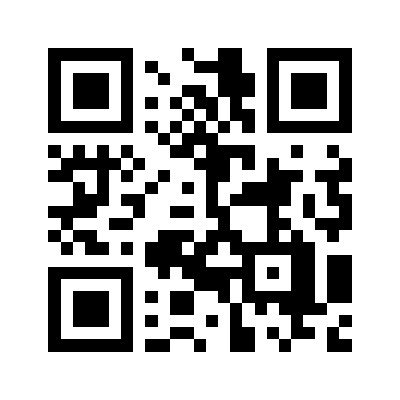
1. The **Office app** combines Microsoft Word, Excel and PowerPoint in one place and is available to download for [Android](https://play.google.com/store/apps/details?id=com.microsoft.office.officehubrow). To get Microsoft Office, use your phone's camera to scan this QR code.
2. To download additional apps or get them separately, select your preferred app, and then install it:
- [Microsoft Excel](https://play.google.com/store/apps/details?id=com.microsoft.office.excel&hl=en)
- [Microsoft OneDrive](https://play.google.com/store/apps/details?id=com.microsoft.skydrive&hl=en)
- [Microsoft Outlook](https://play.google.com/store/apps/details?id=com.microsoft.office.outlook&hl=en)
- [Microsoft PowerPoint](https://play.google.com/store/apps/details?id=com.microsoft.office.powerpoint&hl=en)
- [Microsoft SharePoint](https://play.google.com/store/apps/details?id=com.microsoft.sharepoint&hl=en)
- [Microsoft Teams](https://play.google.com/store/apps/details?id=com.microsoft.teams&hl=en)
- [Microsoft Word](https://play.google.com/store/apps/details?id=com.microsoft.office.word&hl=en)
3. Open the app, and then select **Sign In**.
4. Enter your Microsoft 365 email address.
5. Select **Next**.
6. You'll be redirected to a different sign-in page to enter your password.
7. Select **Sign in**.
Depending on how many files and folders you have, it can take several minutes to sync everything. After the sync is complete, you can access, create and share all of your documents.
- [Getting started](https://customers.lookitdesign.com/knowledge-base/getting-started?hsLang=en-us#main-content)
- [Email](https://customers.lookitdesign.com/knowledge-base/getting-started?hsLang=en-us#email)
- [Website Editing](https://customers.lookitdesign.com/knowledge-base/website-editing?hsLang=en-us#main-content)
- [Elementor](https://customers.lookitdesign.com/knowledge-base/website-editing?hsLang=en-us#elementor)
- [ADA compliance](https://customers.lookitdesign.com/knowledge-base/ada-compliance?hsLang=en-us)
[](https://lookitdesign.com)
800 E 17th St. Brooklyn, NY 11230
[mailto:email@email.com](mailto:email@email.com)
Copyright © 2024, Lookit Design