---
title: Add my Microsoft 365 email to Gmail on Android
description: Add your email to Gmail on a Google Pixel or another Android phone. No matter where you go, you'll always stay connected with your email.
---
[Skip to content](https://customers.lookitdesign.com/knowledge-base/add-my-microsoft-365-email-to-gmail-on-android#main-content)
English - United States
Show submenu for translations

Open main navigation
Close main navigation
- English - United States
Show submenu for translations
- Contact us
Contact us
How can we help you?
- There are no suggestions because the search field is empty.
1. [Lookit Knowledge Base](https://customers.lookitdesign.com/knowledge-base?hsLang=en-us)
2. [Getting started](https://customers.lookitdesign.com/knowledge-base/getting-started?hsLang=en-us)
3. [Email](https://customers.lookitdesign.com/knowledge-base/getting-started?hsLang=en-us#email)
# Add my Microsoft 365 email to Gmail on Android
## Add your email to Gmail on a Google Pixel or another Android phone. No matter where you go, you'll always stay connected with your email.
1. Open Gmail.
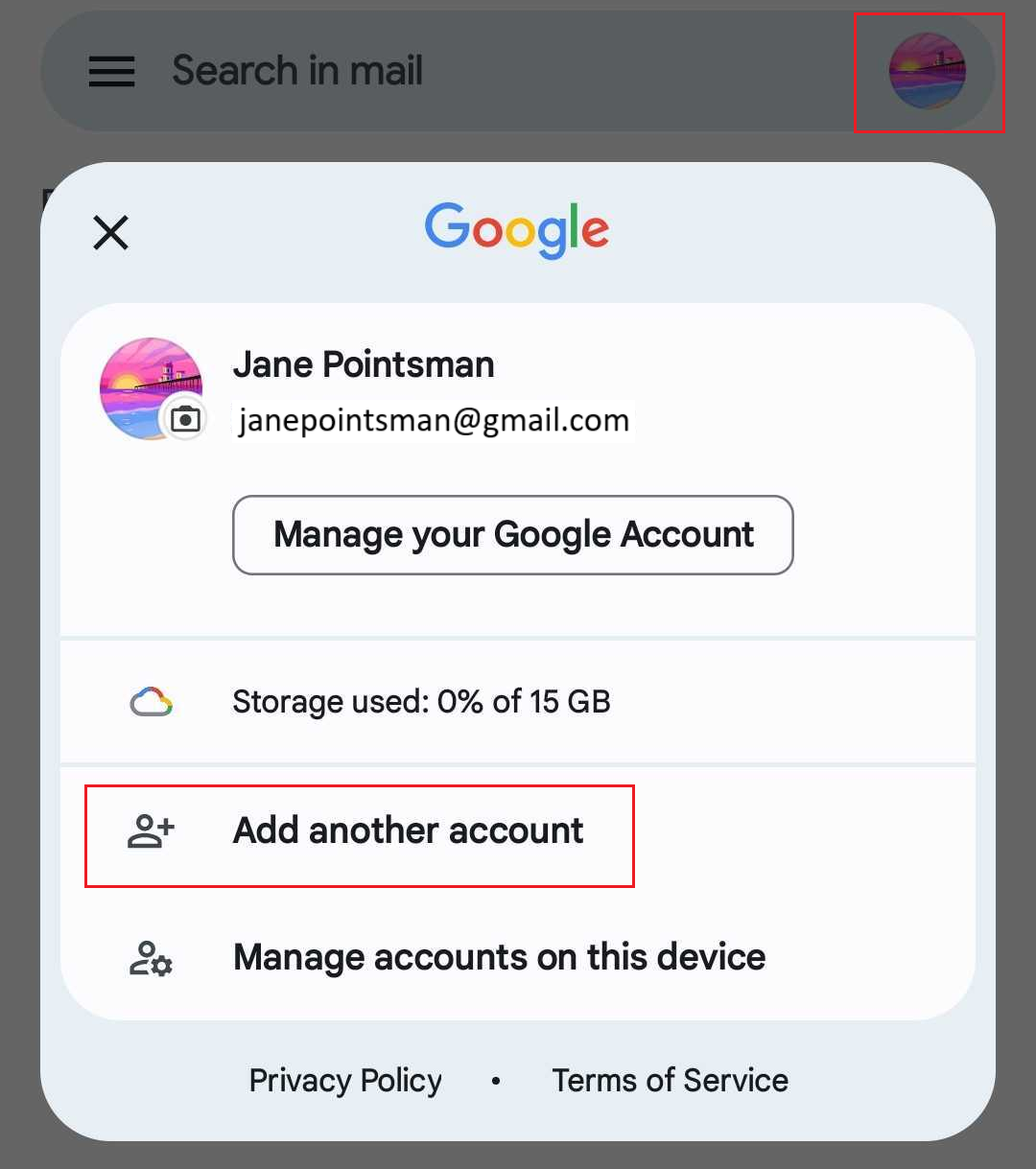
2. If you're a new user, tap **Add an email address**. Otherwise, tap **Profile**, and then **Add another account**.
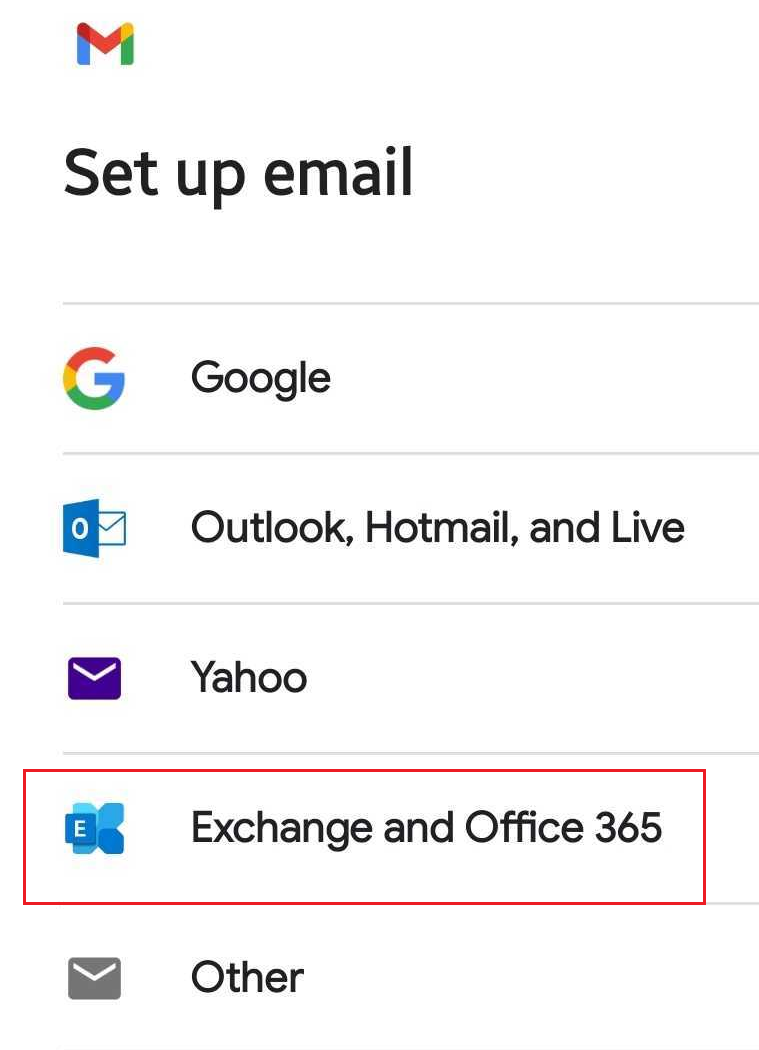
3. Tap **Exchange and Office 365**.
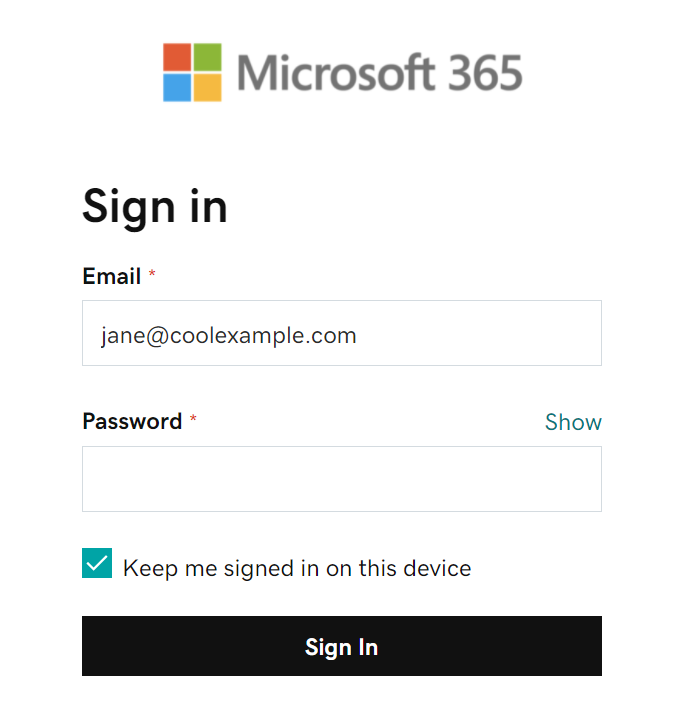
4. Enter your Microsoft 365 email address, and then tap **Next**.
5. Enter your email password, and then tap **Sign In**. You might need to choose your account type as **Work or School**, not **Personal**, to continue.
6. If your admin enabled multi-factor authentication (MFA), verify your account or [set up the Authenticator app](https://www.secureserver.net/help/set-up-my-multi-factor-authentication-method-40415?pl_id=463805&plid=463805).
7. You might need to allow Gmail to access your account, tap **Accept**.
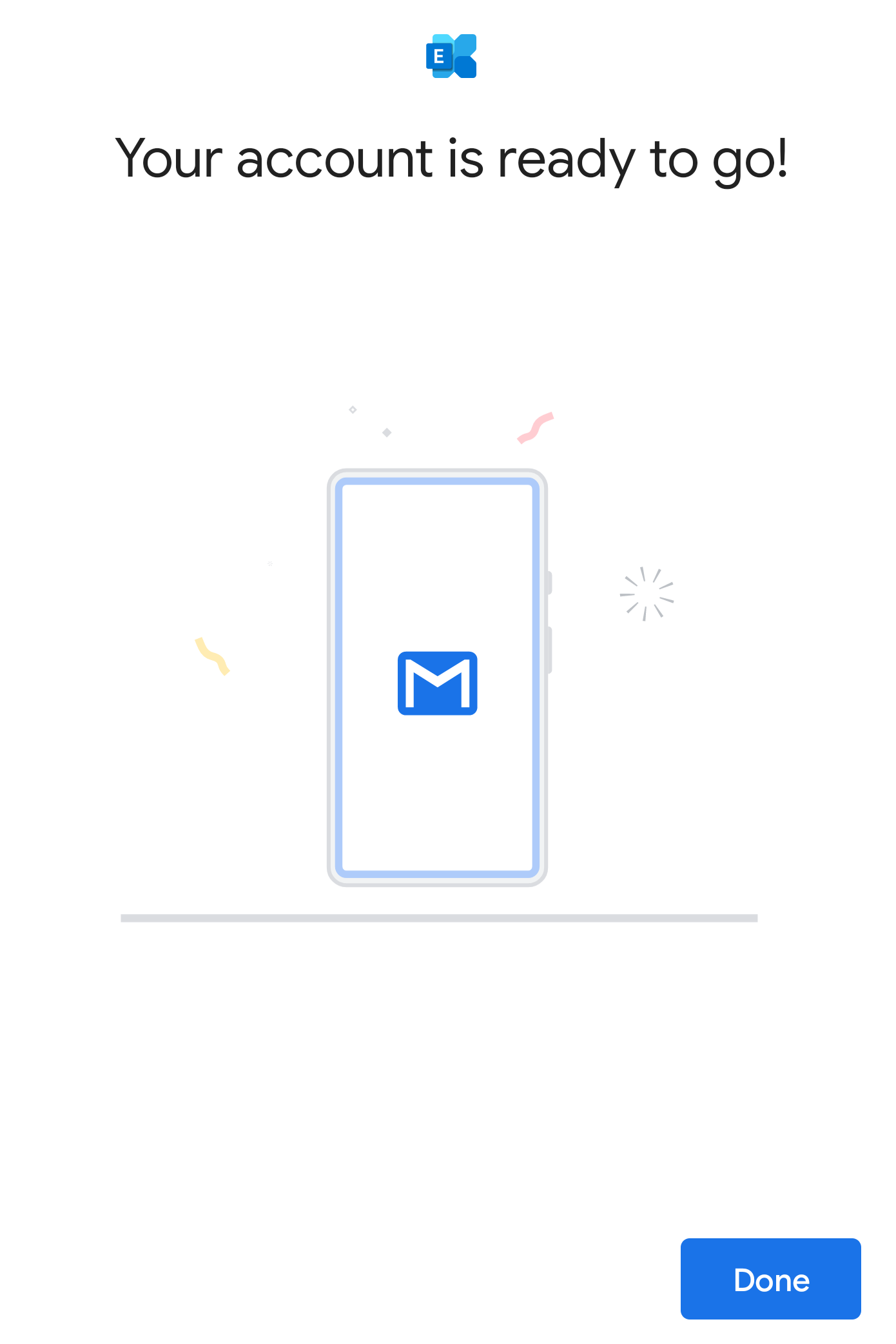
8. When your account is ready, tap **Done**. You'll be taken to your inbox.
9. If this is your first email account on Gmail for Android, you'll be asked if you want to add another account. To skip this step, tap **TAKE ME TO GMAIL**. If this isn't your first account, you'll see your email inbox.
Your Microsoft 365 account is now set up on Gmail!
- [Getting started](https://customers.lookitdesign.com/knowledge-base/getting-started?hsLang=en-us#main-content)
- [Email](https://customers.lookitdesign.com/knowledge-base/getting-started?hsLang=en-us#email)
- [Website Editing](https://customers.lookitdesign.com/knowledge-base/website-editing?hsLang=en-us#main-content)
- [Elementor](https://customers.lookitdesign.com/knowledge-base/website-editing?hsLang=en-us#elementor)
- [ADA compliance](https://customers.lookitdesign.com/knowledge-base/ada-compliance?hsLang=en-us)
[](https://lookitdesign.com)
800 E 17th St. Brooklyn, NY 11230
[mailto:email@email.com](mailto:email@email.com)
Copyright © 2024, Lookit Design